


NbC: Asus Eee PC 1000HE Review
April 28, 2009 at 2:23 pm
Display
The 10.2-inch LED backlit display comes with a resolution of 1024 x 600 pixels. The display does not sit flush with the chassis like some flashier models but still looks attractive enough. Personally, I prefer matte displays to glossy ones any day of the week. Glossy screens certainly look sexier but practically speaking, I’ve not found one that is easy to the eye outdoors. Luckily the 1000HE comes with a matte display and I found it a pleasure to use in a number of different lighting environments.
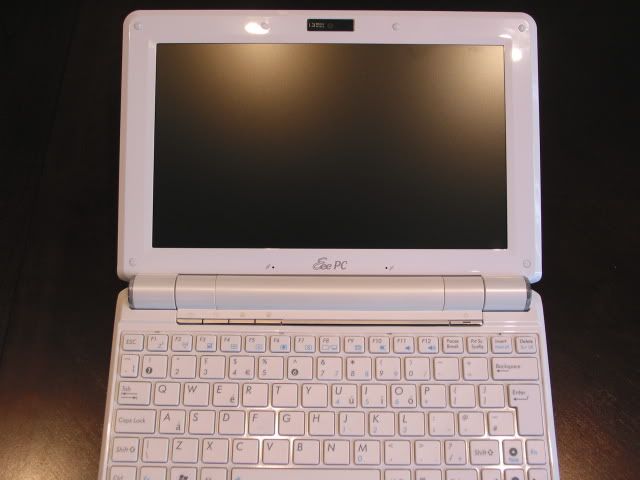
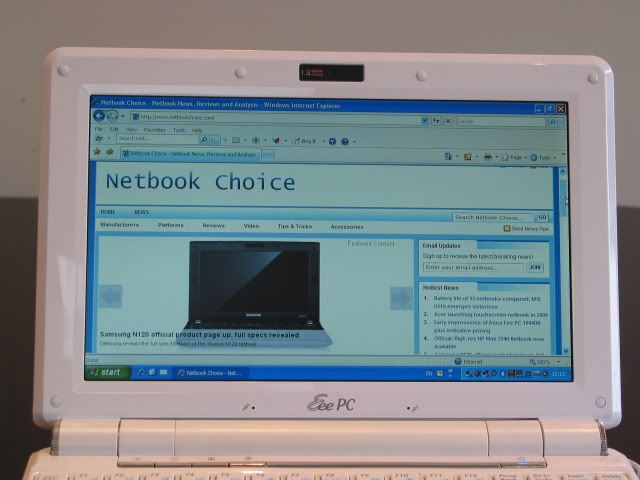
The only real negative for the screen is the 1024 x 600 resolution. Some applications require a certain resolution to use their menu screens and even for browsing it can be a pain to scroll so much. We are starting to see higher–resolution options on some 10-inch netbooks like the HP Mini 2140 and Dell Mini 10 and I’m sure Asus has similar screens planned for possible refreshes of its 1000 line.
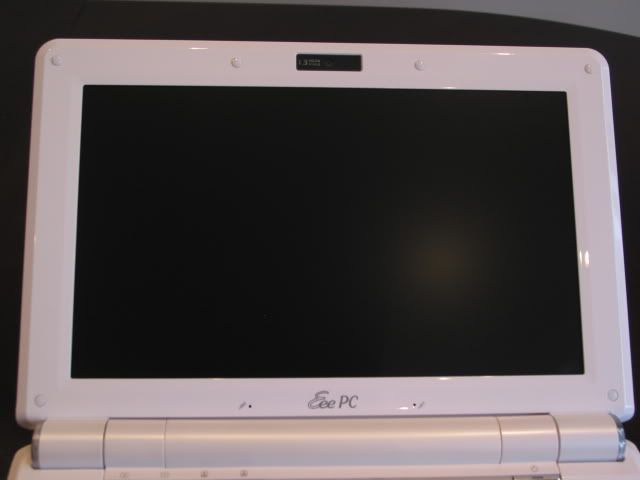
The LED-backlit display made for comfortable viewing, hours on end. The colours were vibrant and consistent and I didn’t notice any flickering. Viewing angles were also good, meaning that the user could easily share a movie with a passenger on either side. I have heard some people criticise that the 1000HE doesn’t go bright enough. Personally, I didn’t find this an issue, however I wouldn’t have found this comfortable to use for long periods with the brightness set lower than 60 percent.
Apart from the standard 1024 x 600 resolution you can also cycle through other resolutions including compressed 1024 x 768 resolution as well as 800 x 600. Using 1024 x 768 means the desktop is effectively extended downwards which in theory means less scrolling.
Speakers
The two speakers are located on the underside of the chassis. When it comes to netbooks, speaker quality isn’t one of those that you would expect to shine. You won’t find any revelations here unfortunately, the speakers are too small to produce any bass or midrange. However, they are perfectly adequate to enjoy a movie or some music although do sound ‘tinny’. The speakers can go reasonably loud too, and remain clear as you approach 100 percent volume.
Heat & Noise
Whilst the 1000HE does get warm when in use for long periods in AC mode, it is never uncomfortable to use and certainly cooler than some other netbooks/laptops I’ve used. Some, who regard silent computing as a priority, may be disappointed with the 1000HE as when the unit does heat up the fans can be heard. If using the unit in a quiet room, then the 1000HE fan is audible although I wouldn’t say it is distracting. Given that the netbook is likely to be used on the move makes it even less of an issue.

April 28th, 2009 4:07 PM
Asus eee pc 1000HE vs Samsung N110/N120 batterytest would be intresting. Also Windows XP vs Ubuntu 9.04 batterytest would be intresting. Is battery time lot worse if you install Ubuntu to these machines and whats difference of startup time..
April 28th, 2009 4:28 PM
A very well thought out and thorough review. Definitely one of the best ones I’ve seen, even compared to well known sites. Nice job NbC!
April 29th, 2009 2:38 PM
Mika – We’ll be looking forward to seeing how the 1000HE against Samsung’s new netbooks soon enough.
Regarding the Ubuntu tests, it could be quite interesting to see if there is a difference. Hopefully, we’ll have the time to try that next time.
Igor – Thanks for the compliment. Hope you’re enjoying your 1000HE as much as we did. It’s a shame we had to give ours back…
April 29th, 2009 7:51 PM
I suppose operating time with Windows XP is better, but how big difference is with XP and Ubuntu would be nice to know. I suppose that Samsung and other companys support Windows at their battery save mode, if there is not Linux support time difference can be quite big. I just would like to install Ubuntu to Netbook, course then maybe wouldnt need virus software that takes CPU and it again uses more battery.
May 1st, 2009 5:18 PM
Pros:
1. Battery Life – It really is that good. I can get a real world value of 7.5 to 8 hours with the WLAN on under the power saving mode. I can’t even see a difference with the performance when in this mode.
2. LED-lit screen – I was expecting a basic screen that didn’t look particularly great. I was surprised with the look of it, even at the low, netbook standard resolution.
3. Keyboard – The so-called chiclet keys are very comfortable, and the placement of the shift key in the correct spot really separates this model from the rest.
Cons:
1. Windows XP – Yeah, I know. Most would say this is a pro. However, I passed the XP life-cycle on desktops and I’m now having to learn the intricacies of this OS. I wish I could have have them put the Windows 7 beta on it before shipping because I did not get it in time to download, but I digress.
2. Performance – Not technically a con, but I expected a little more of a boost from the bus increase to 667 Mhz. Still, it serves its purposes as a netbook, and the upcoming performance boost in Intel’s chipset will probably decrease battery life by 2-3 hours.
May 4th, 2009 2:16 AM
Well they may have placed that right shift key in the correct place, but making it so small was a bad move. True touch typist will find they have to really pay attention to insure they don’t hit one of the other keys.
While I give Kudo’s to ASUS for moving the shift key, I have to say them making it so small still took this one out of the running and it is the reason I own a Samsung N120 instead.
The sad thing is that the boost from the so called new chipset and increase 667 FSB are totally unremarkable and according to most reviews unnoticeable when comparing to netbooks with the older chipset with a 533 FST
The other thing that I feel most don’t consider is support after the sell and ASUS has about the worse support out there today. I’d be real concerned about that issue more than anything else.
May 14th, 2009 8:38 PM
this the site which I found the battery&power supply weight !
June 8th, 2009 2:08 PM
An excellent review. Well done Jet. I think your way of testing the battery is really great. It gives us a clearer view.
June 8th, 2009 3:39 PM
Thanks Mark. As always, if you think there are ways we can improve our reviews please drop us a line! 🙂
June 15th, 2009 8:15 PM
Get Asus said:
“I wish I could have have them put the Windows 7 beta on it”
y the h3ll would u want win 7 for? If u got it on a netbook it would come w/ win 7 starter and with that OS u can only run 3 programs at once and u can’t change the wallpaper… That really sux. Microsoft is slapping there Luser in the face with this crap. Just uses Linux, its a h3ll of a lot better.
July 30th, 2009 4:12 PM
It’s a very well thought out and thorough review specs.