


NbC: Asus Eee PC 1005HA Seashell (N270) Review
August 6, 2009 at 9:18 am
Ports
The Eee PC 1005HA has no major omissions when it comes to port selection. You will find all of the usual ports that you would find on a typical netbook. The left-side of the netbook includes a power input, VGA port, USB port, Kensington lock and fan vent.
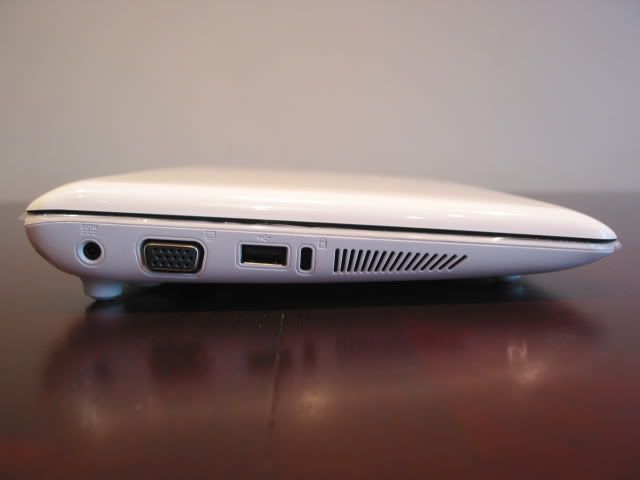
The edge of the 1005HA holds the power input. Looking at the close-up below you can see how small the hole is for the newer power adaptor that’s present in the 1005HA. Next to this you can see the full-sized VGA port (the 1008HA housed a mini-VGA port).

You will then find a solitary USB port and Kensington lock. Placing the Kensington lock in the middle is an unusual design decision, especially considering how much it will protrude from the side. Putting it closer to the power input would have made more sense in our view.
The fan vent exhaled quite hot air, even during moderate use. Fan noise was also audible.

On the right side of the 1005HA, you can see an Ethernet port, two USB ports, a pair of audio jacks and a SD card reader.
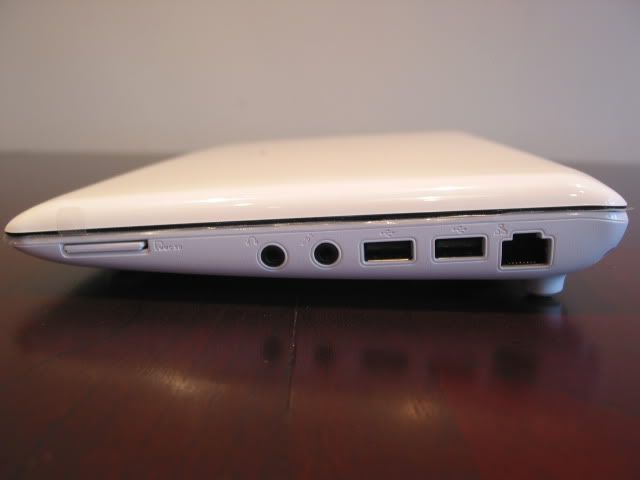
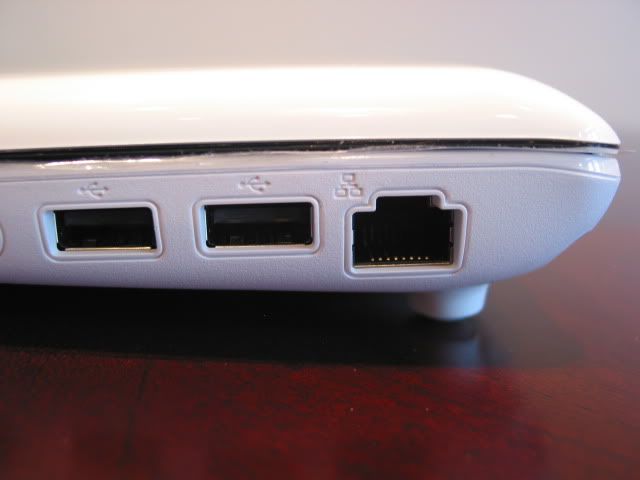
The Ethernet port sits on the edge next to two USB ports. These are just normal UCB ports and are non-chargeable as we saw with the Samsung N120.The Ethernet slot is 10/100 LAN only, so no Gigabit support here.
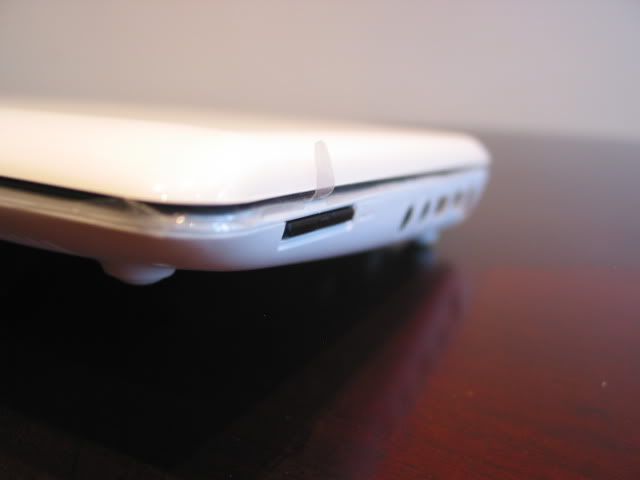
You will then find two audio jacks, one for a mic and one for headphones. Towards the front you can see a card reader (MMC/ SD(SDHC)).
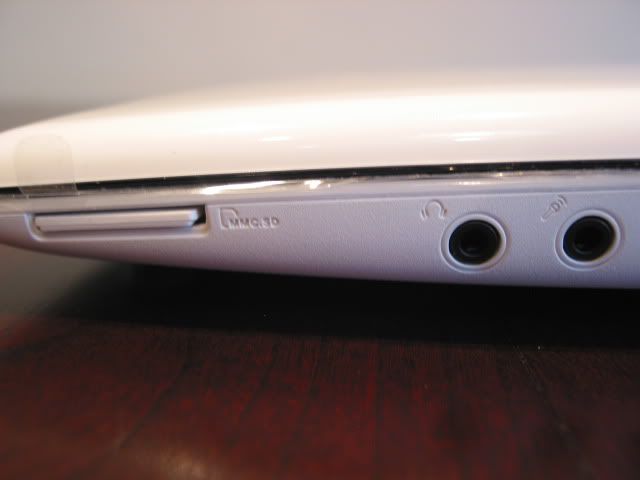
We were glad to see that an inserted SD card sat flush with the chassis. All too often, memory cards end up slightly jutting out of the case.
Features
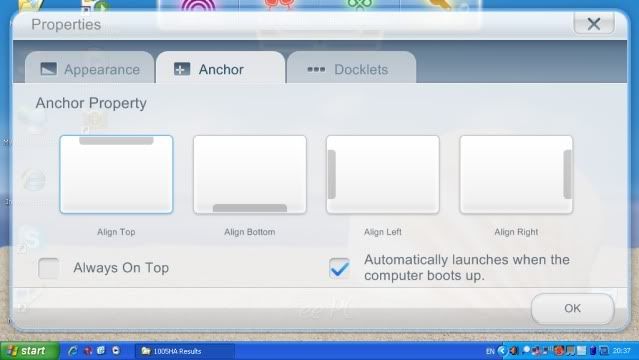
The Eee PC 1005HA features a new software utility from Asus called ‘Eee Docking’. This is accessible by clicking on the little arrow on the top of the screen. It constitutes a number of different utilities include Eee Vibe, Eee Sharing, Eee Xperience and Eee Tools. Eee Vibe gives you access to Radio, Live TV and Games. Eee Sharing allows you to synchronize the data on your Eee PC with another PC at home. Eee Xperience gives you access to SRS software and the DVD player whilst Eee Tools has an update service.

By default this dock is situated on the top of the display, you can however change where you want this dock to sit (left/right sides or bottom). You can also change the settings to launch the dock when the netbook boots.
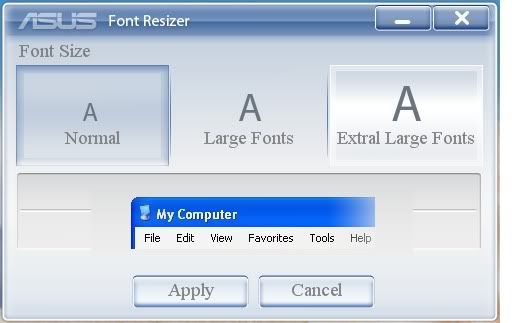
Asus has a ‘Font Resizer’ utility that allows you to easily change the font sizes. Asus has most likely included this given the small 10-inch display. Although, at the 1024 x 600 resolution I’d be surprised if most people couldn’t read it. At a higher resolution though, this would be a different matter.
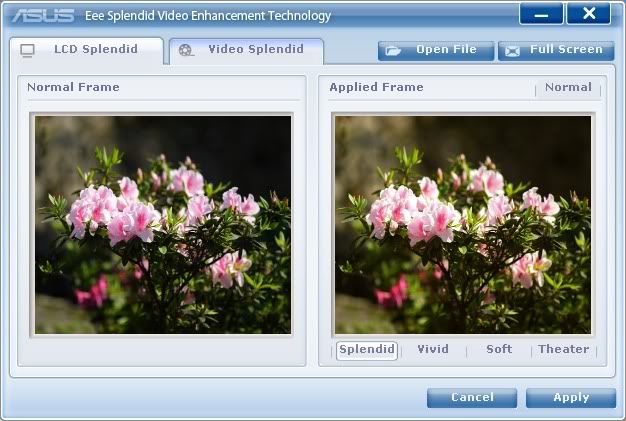
The ‘Eee Splendid’ utility lets you easily adjust your netbooks screen settings, as well as giving it different colour settings.
On the top of the bezel, you will find a 0.3MP webcam (the N280 model has a higher-resolution 1.3MP webcam). The webcam is accentuated by a chrome circle strip which gives it a classy look.
The performance was satisfactory when using applications like Skype, but images didn’t look as clear as netbooks that use 1.3MP resolution webcams. We can understand that Asus wanted to differentiate both N270 and N280 SKUs, but we don’t think any netbook should come with webcams lower than 1.3MP, especially as 2.0MP webcams are starting to make an appearance on some models.
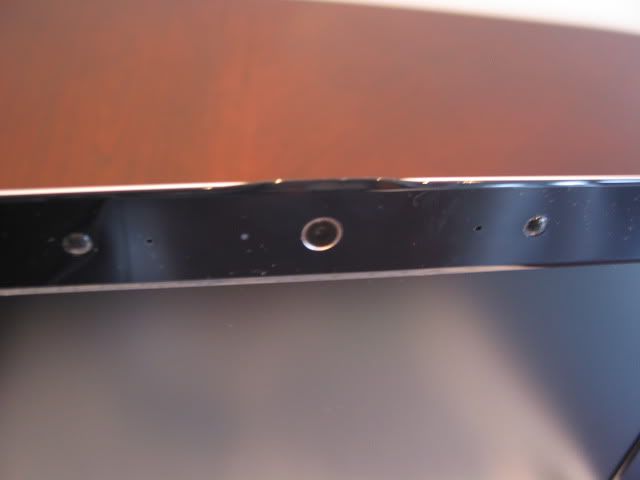
The webcam is flanked by two discrete mics either side of it. Sound quality was very good with volume significantly loud enough. Asus is one of the few netbook manufacturers that understands the importance of mics. They include digital array mics as standard in most models and placement is also in the ideal position just next to the webcam.

Connectivity
Despite being the budget model, the N270 Eee PC 1005HA comes with Wi-Fi Draft-N as standard, which is impressive. However you won’t find any Bluetooth on this particular model, as that has been kept for the N280 SKU.
We found the wireless performance to be perfectly adequate. We had no problems in connecting and picking up a signal was very quick.

August 12th, 2009 11:18 AM
I was told that better model doesnt maybe come sale at Finland at all. Anyway faster prosessor, bluetooth and lot better camera are big things. I dont understand why Asus had to release two models with one name and why only worse model comes for sale. I wonder if I order better model from Germany, it it possible get worse models scandinavian keyboard somewere can change it to better 1005 model. I would like 1008 and 1101 too, but 1008 you cant change battery and it doesnt have so good operating time and 1101 sounds very good, but everywere is said that its slow. Better 1005 would have been good option. Wonder if new Samsung N5xx comes sale at Finland/Scandinavia.
September 13th, 2009 1:27 AM
keep em comin Pryor, TD!!!!!!!!!!!!!!!!!!!!!!!!!!!!!!!!!!!!!!!!!!!!!!!!!!!!!!!!!
September 15th, 2009 10:40 AM
There is 1005HA-WHI012X sale now at Finland. It says N280. Does this one have bluetooth and 1.3 webcamera?
October 4th, 2009 6:45 PM
asus eee pc 1005ha is one of the best netbook in market
October 31st, 2009 10:52 PM
The power supply is very fragile…I had mine for one month and it works when it wants to. The other night the blue light on the charger would not go on. In the morning it worked…Same thing happened again tonight. Looks like I need to buy another power supply. Beware the tip is very small as well. Overall it is a good netbook. My second dislike is the left “mouse pad” click. You really need to apply about 3 times as much force as you should to get it to click. I would recommend trying it for yourself before buying. I use an external mouse because it is so hard to use. I have two laptops and do not have that problem with them. Good shopping.
October 25th, 2010 11:19 PM
Mine power supply died also. Otherwise I’m a happy user for almost a year.