


NbC: Asus Eee PC 1005HA Seashell (N270) Review
August 6, 2009 at 9:18 am
Keyboard
The Eee PC 1005HA eschews the chiclet (isolation) keyboard found in the 1000HE, in favour of the more traditional type using flat keys. It’s a strange decision, considering that most competitors are moving towards chiclet keyboards whereas Asus has moved the other way with its Seashell Eee PC range.
We do prefer the 1000HE keyboard, but still found the 1005HA keyboard comfortable to use. The keys are reasonably large and there is no unusual button placement. However, whilst the keys offered good feedback, the key travel was not as deep as we would have liked and certainly didn’t match the likes of the Samsung N120 or MSI Wind U115 that we recently reviewed. The result is that whilst I wouldn’t have any problem using the 10005HA to send out a quick email, I’m not sure I’d find it comfortable to use as a sole blogging tool (unlike the previously mentioned netbooks).
Having played with most of the new Eee PC’s including the T91, 1008HA and 1101HA it appears a similar keyboard has been used on all. If we’re being honest, it seems a step backwards for the company. We hope that future versions either offer greater key travel or move back to the chiclet keyboards to ensure typing is more comfortable over longer periods.
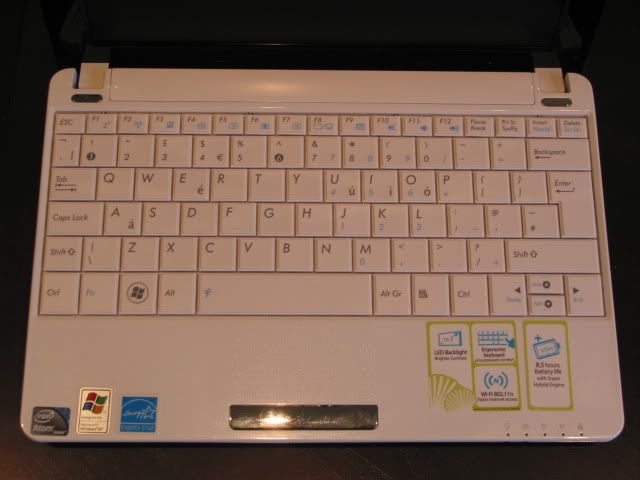
Asus has stretched the keyboard to the edge of the chassis to maximise the room allocated to it. The width of the keyboard measures 253mm against a height of 98mm.
As with most new Eee PC netbooks, button placement is well thought-out. You get a nice big right Shift key and a large UK-style Enter key. If we were nitpicking than the PgUp/PdDn arrow buttons are a tad small, but it’s no deal breaker.
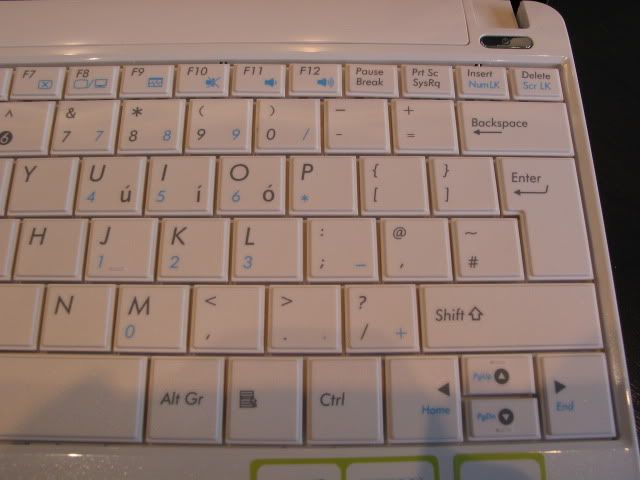
The left side of the keyboard shows no unusual button placement. Everything is where we would hope to find it. A number of shortcut Function keys sit at the top that control display brightness, audio volume, wireless activity etc.
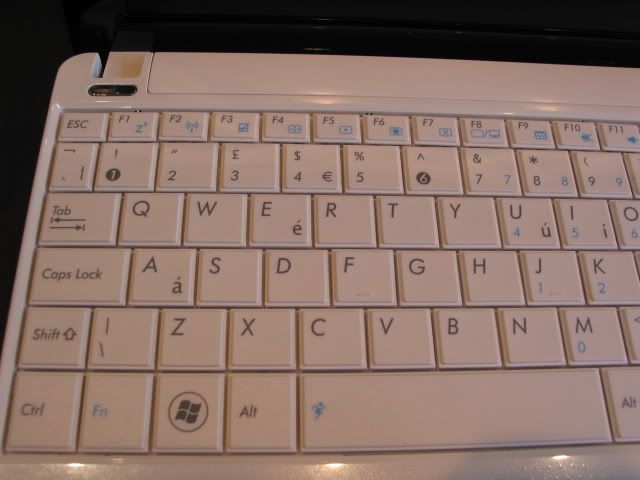
The keys measure 17mm in width and 16mm in height according to our measurements. This is near enough identical to the MSI Wind U115 (17mm x 15.5mm), but not as big as the Samsung N120 (18mm x 17mm).
Spacing between the keys measured 18mm, which compares to 17.5mm for the Wind U115 and 18.5mm with the Samsung N120.
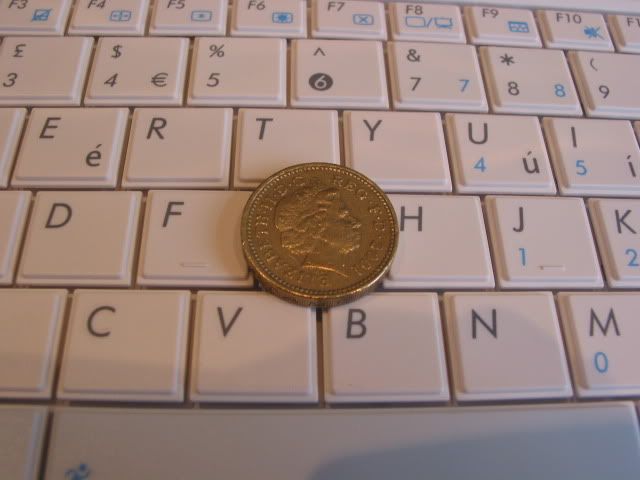
As we mentioned previously, shallow key travel is the main disappointment with the 1005HA keyboard. Tactile feedback was quite good however.
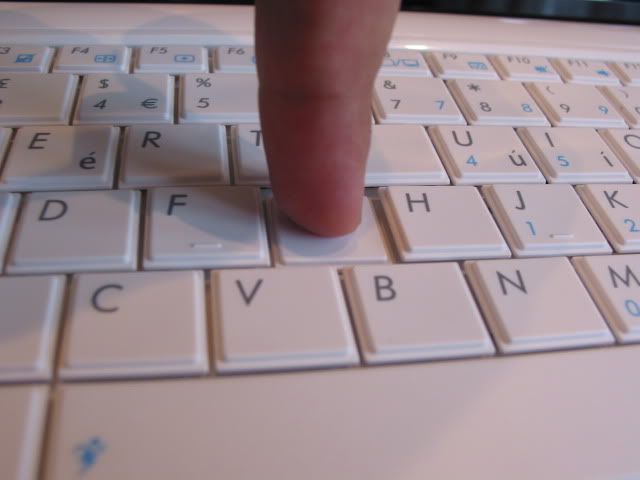
The keyboard did not suffer from any kind of flex, even in the middle. We do like the flat keys used as it maximises the area of each key.
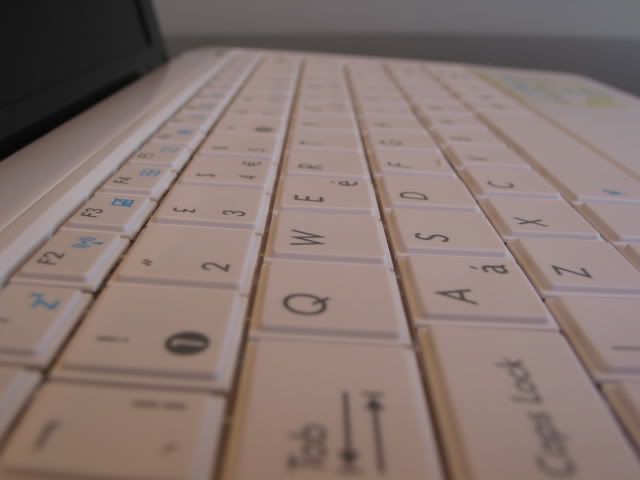
Touchpad
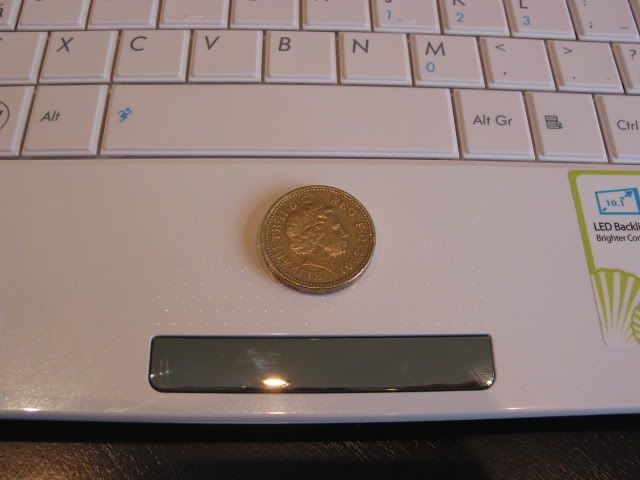
As seen in the 1008HA Seashell, the 1005HA sports quite a different touchpad seen in most other netbooks. There is no physical boundary to the touchpad, instead it is characterised by tiny dimples that keep your fingers within the defined area. Whilst sceptical at first, we found that the Synaptics-powered touchpad sensitivity to be very good.

It is not the biggest touchpad seen on a netbook and measures 63mm in width by 33m in height. This compares to the MSI Wind U115 at 50mm x 38mm and Samsung N120 at 64mm x 35mm.
As you can tell, it is broadly similar to the Samsung N120, which itself wasn’t that big. However, without borders, the 1005HA’s touchpad gives the illusion of being much larger than it actually is. Despite this we had no problems in navigating pages and didn’t find the pad to be overly sensitive.
As with other Eee PC netbooks, the 10005HA supports gestures such as chiral scroll. This type of scrolling works by placing your finger on the right side of the touchpad, which changes the cursor to a swirl symbol. Without taking your finger off, you can move your finger in a circular motion to scroll the page up/down. The same can be done on the bottom of the touchpad to scroll left/right.
Multi-touch gestures are also included, like zooming by pinching your fingers and normal gestures. Annoyingly, one of our favourite multi-touch gestures, two-finger scrolling, seems to be absent out of the box. However, there are ways to hack the drivers to get this to work. It’s a shame that a user has to go to those lengths though, this should have been included from the get go.

The touchpad is accompanied by a single faux-chrome rocker bar at the bottom. The left/right buttons weren’t too stiff and worked well with the touchpad. Pressing down on the bar gave good feedback.


August 12th, 2009 11:18 AM
I was told that better model doesnt maybe come sale at Finland at all. Anyway faster prosessor, bluetooth and lot better camera are big things. I dont understand why Asus had to release two models with one name and why only worse model comes for sale. I wonder if I order better model from Germany, it it possible get worse models scandinavian keyboard somewere can change it to better 1005 model. I would like 1008 and 1101 too, but 1008 you cant change battery and it doesnt have so good operating time and 1101 sounds very good, but everywere is said that its slow. Better 1005 would have been good option. Wonder if new Samsung N5xx comes sale at Finland/Scandinavia.
September 13th, 2009 1:27 AM
keep em comin Pryor, TD!!!!!!!!!!!!!!!!!!!!!!!!!!!!!!!!!!!!!!!!!!!!!!!!!!!!!!!!!
September 15th, 2009 10:40 AM
There is 1005HA-WHI012X sale now at Finland. It says N280. Does this one have bluetooth and 1.3 webcamera?
October 4th, 2009 6:45 PM
asus eee pc 1005ha is one of the best netbook in market
October 31st, 2009 10:52 PM
The power supply is very fragile…I had mine for one month and it works when it wants to. The other night the blue light on the charger would not go on. In the morning it worked…Same thing happened again tonight. Looks like I need to buy another power supply. Beware the tip is very small as well. Overall it is a good netbook. My second dislike is the left “mouse pad” click. You really need to apply about 3 times as much force as you should to get it to click. I would recommend trying it for yourself before buying. I use an external mouse because it is so hard to use. I have two laptops and do not have that problem with them. Good shopping.
October 25th, 2010 11:19 PM
Mine power supply died also. Otherwise I’m a happy user for almost a year.