


NbC: Samsung N120 Review
May 18, 2009 at 9:32 am
Display
The Samsung N120 has a 10.1-inch LED backlit display with a resolution of 1024 x 600 pixels. The display does not sit flush with the chassis as seen in the Samsung N310 for example, and is surrounded by a large bezel.
Samsung has used a glossy display in the N120 as opposed to the matte screen used in the NC10. This may put off some people straight away and admittedly I’m not the biggest fans of glossy displays. Whilst indoors they may be fine, they can be a nightmare to use whilst on the road. Unfortunately the Samsung N120’s glossy display doesn’t do anything to dispel those fears. If you are using the netbook with a light source behind you it will be difficult to read the screen. Having said that, the glossy display is not as reflective as found in other manufacturers (particularly Acer).
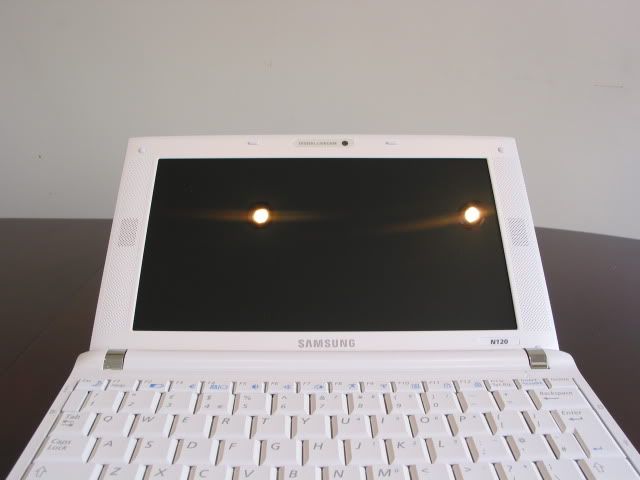
I’ve included a couple of examples below to show how reflective the screen is. In both cases the display was off. The example below shows the reflection from the screen indoors.
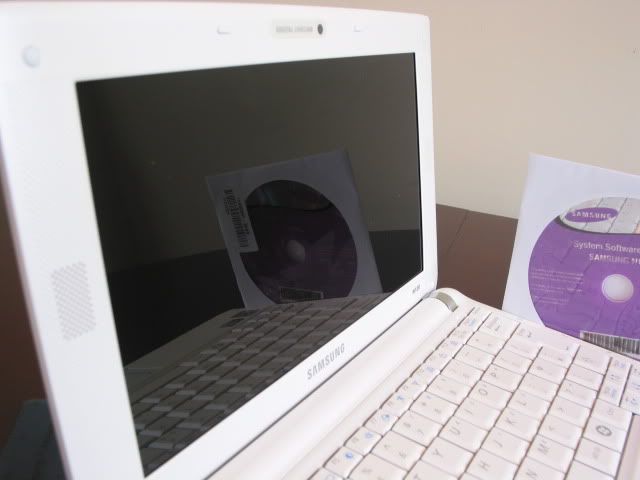
It was only when placed under direct sunlight, or bright lights say in front of a window, was the screen illegible. Whilst the reflective display isn’t as bad as others, it is still an inherent problem of this type of screen.
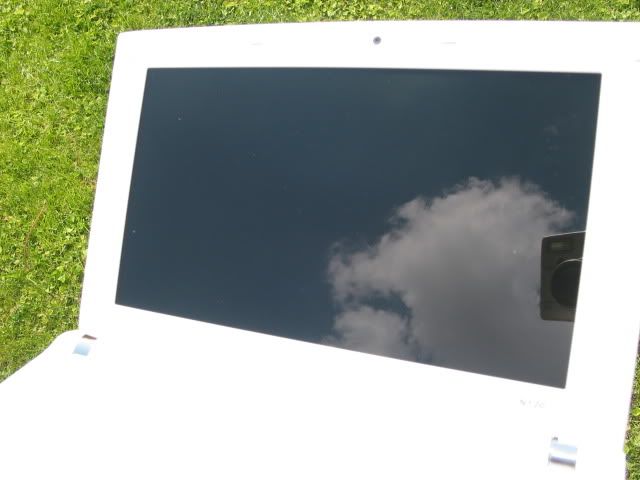
The display can go quite bright and the LED technology ensures an even picture from the backlight. Contrast was also very good, with some of the best blacks seen on a netbook. Additionally, colours were vibrant and text was crisp to read.
Watching movies was a treat on the display and I did not feel that the screen did not go bright enough. Viewing angles were also good, meaning that the user could easily share a movie with a passenger on either side. The reflective screen could provide a problem if there are bright lights at an angle though.
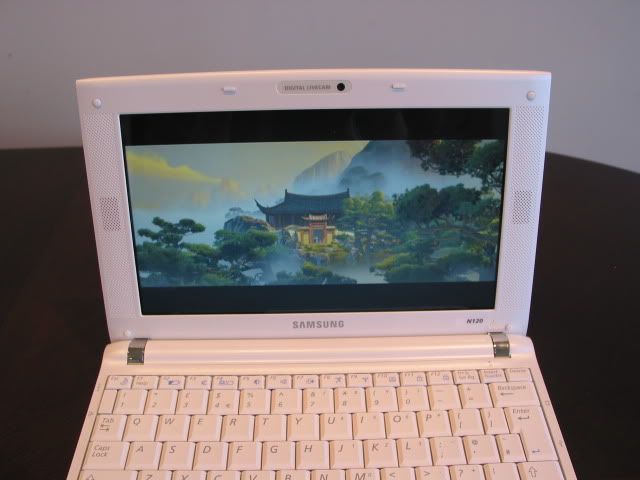
We would have loved to see the Samsung N120 support a high resolution screen at 1366 x 768 pixels. However, if you do want to scroll less, or need to use an application that needs the higher resolution, Samsung allows you to do this through the Easy Resolution Manager. This app allows you to easily switch between the native 1024 x 600 resolution and 1024 x 768 pixels.
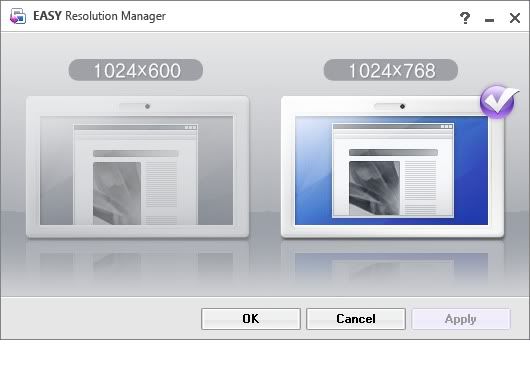
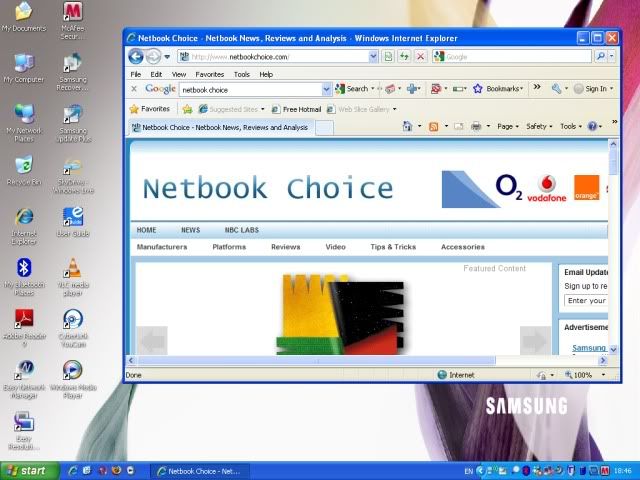
When using 1024 x 768 it does seem to squash everything you’re reading making text more difficult to read. We’ve attached a screen grab below which shows the extra space, but doesn’t do a good job of conveying just how much more difficult it is to read under this resolution.
Speakers
One of the biggest talking points of the N120 is that it is the first netbook to incorporate a 2.1 speaker system. Samsung has made good use of the large bezel that surrounds the display, by placing two front facing speakers on either side of the screen. This bezel is there as a result of the wider girth needed to house the larger keyboard.
For those that are interested in the N120 on the grounds of its sound system will not be disappointed. Whilst the two 1.5W speakers do not produce the loudest sound I’ve heard in a netbook (the Eee PC 1000HE is distinctly louder), they definitely produce the best imaging. Having the speakers placed on the display definitely makes a difference, most netbooks usually place the speakers on the bottom of the netbook.
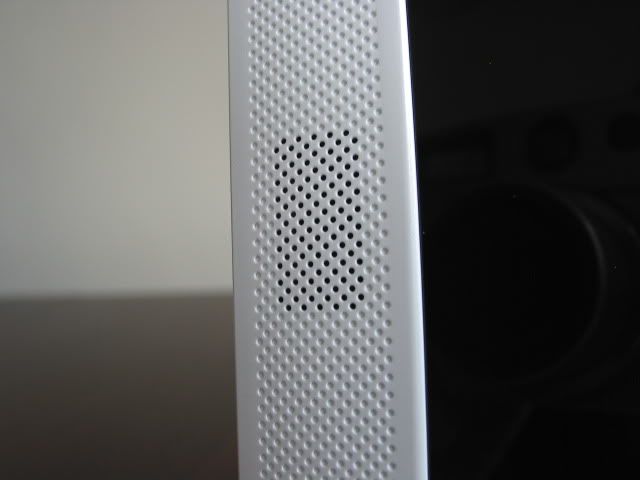
Samsung has used this perforated design to create the illusion of a speaker running the length of the display. Despite the dimples, there is no speaker behind here.
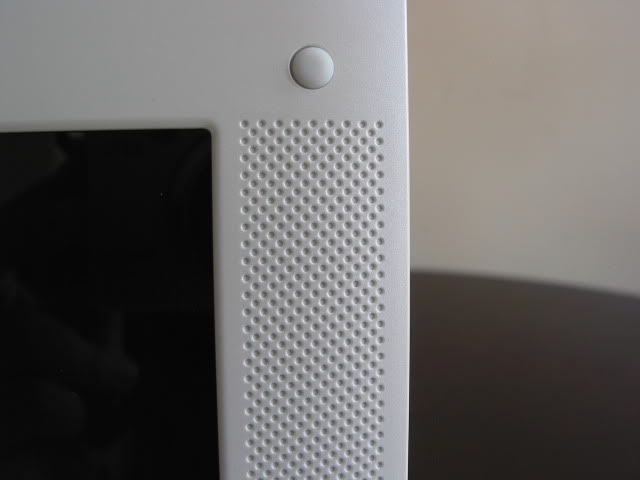
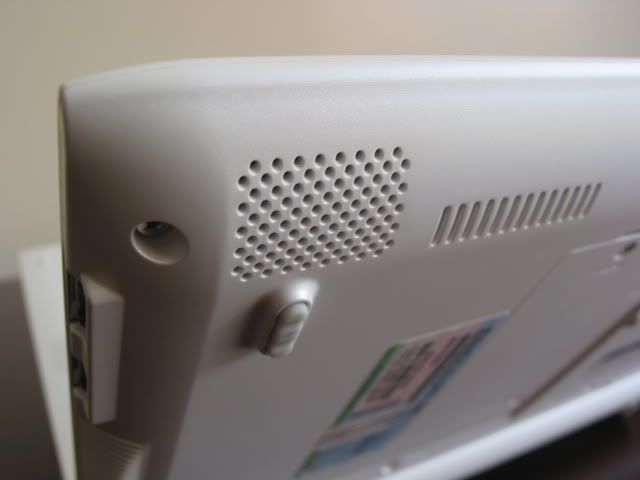
If the speaker placement was an inspired decision, then the subwoofer and SRS software are the icing on the cake. Regarding the subwoofer, do not expect any bass-thumping sounds. At the loudest volume, you can feel the netbook vibrate a little in your hands, however what the subwoofer does do is to expand the mid-range, which is so often lacking in netbooks. The subwoofer is located at the bottom left edge of the netbook as pictured below.
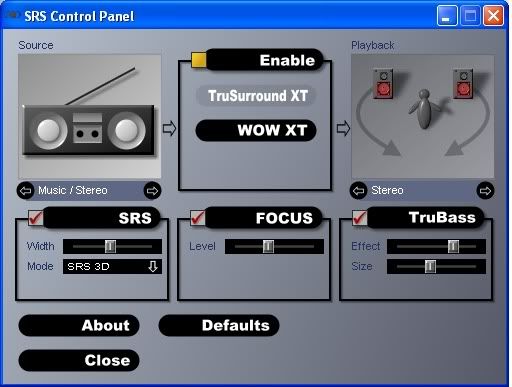
The SRS software also works really well. There are different settings that you can use for music or movies, where you can fine-tune the TruSurround, sound width, focus as well as bass levels. The difference between SRS being on and off is quite stark. Turning SRS off leaves music sounding very flat.
I need to caveat the points made above. Whilst the Samsung N120 is one of the best sounding netbooks we’ve heard, this is all relatively speaking. To most the sound will still sound quite weak when judged as a standalone sound source. However, compared to its peers, you probably won’t hear as good a sound as you do on the N120.
Heat & Noise
If the Samsung N120’s CPU is stressed for long periods, then I found the right palm rest area to get quite warm. I typically found this whilst running benchmarks or streaming YouTube videos for hours on end. It is not a problem that most people will have, although if you do stress the CPU utilisation to over 80 percent for long periods then expect it to get warm. But even then, it was never uncomfortable to use.
However, under normal use I was pleasantly surprised to see the Samsung N120 running cool. After long periods, cool air exhaled from the main vent. Even whilst watching movies, it stayed cool to the touch.
This cool performance meant that noise from the fans was kept to a minimum. I found it to be quieter than the Eee PC 1000HE, although it could still be heard in a quiet room. However, what really caused distraction came from an unlikely source, the hard drive. The hard drive used in the N120 is loud, whenever accessing or writing data I found its clicks to be quite distracting. The hard-disk drive used in the Samsung is the 2.5” 160GB SATA Fujitsu MHZ2160BH-G2. What I found strange is that looking at customer reviews on Newegg, most people said that it was quiet. Judging by this, maybe not all N120 netbooks will have a similarly loud HDD experience.

May 18th, 2009 1:19 PM
Feedback so far suggests that people are liking the larger N120 keyboard. Well played Samsung.
May 19th, 2009 8:33 PM
i would like a larger keyboard, but with a larger screen too.
something like 11,6″ oder so – i think it would fit in the n120 case
is this one a review smapleor have you bought it ? in Germany they sell the N110 only with the 58 Wh // 5.2 Ah battery, but the reviewers get the 64 Wh // 5.9Ah one.
good review
May 19th, 2009 9:15 PM
We tested a final retail version, as you would find in the shops here in the UK. As far as I know all Samsung N120 netbooks come with the 5900mAh 6-cell battery.
May 20th, 2009 11:29 AM
In my view, literally, the most important aspects in regard to netbooks are display quality and weight/size. Because I will use it for seeing informations not writing that much, that I will do either at the office or home desktop. And unfortunately, the bulk of newer and announced netbooks is worse than before: the unending trend for glossy displays kills the usability at least for me. (plus that so few are available with built in 3G/UMTS modems.)
May 20th, 2009 11:51 AM
No doubt, everyone has a different view as what are the most important netbook considerations. We should perhaps do a poll at some point to find out what comes out on top!
May 20th, 2009 9:45 PM
The U.S. version has a 5200mah battery. Interesting as the U.S. N110 is 5900mah while most N110’s in Europe are 5200mah..
May 20th, 2009 10:47 PM
I wasn’t aware of that, thanks for the clarification!
June 11th, 2009 6:25 AM
Sorry, but this is stupid.
If they’re going to make it this big, the display should be BIGGER. A 1024 x 600 display has you scrolling around constantly, especially vertically. If you have room for it, a 720p display at 11″ or so would be MUCH BETTER.
Sorry, but the size of a netbook matters. I take my 9″ netbook (too small) lots of places I would never take my 13″ laptop. Make it too big and its not a netbook anymore, at least to me. If you’re going to put a 10″ display in the thing, make it no bigger than necessary. You can find perfectly acceptable keyboards on 10″ netbooks (check out the HP 2140 for example), without resorting to this.
They didn’t “squeeze” the keyboard into anything. They just cranked the bezel up until the regular keyboard fit. Not for me.
June 25th, 2009 5:13 PM
It bears mentioning that the N120 also supports charging peripherals while in sleep mode through a BIOS setting. In addition, the internal wireless card can be changed for one that supports draft 802.11n (the Intel 5300 is your best bet).
June 25th, 2009 5:19 PM
We did mention that two of the USB ports are chargeable on page 4, something that most other reviews missed. Also, not many mentioned the fact that the N120 has a multi-touch touchpad.
September 8th, 2009 8:36 PM
I just ordered the samsung N120. I would like to play dvd movies on it. what do you suggest I do to accomplish this.
Thanks
ann
September 23rd, 2009 2:51 AM
Thank you for your review of N120, it’s mostly convinced me to buy one – my local university has a sale, it’s priced at USD $371, and its battery is 9-10 hours (regional Hong Kong variation I’ve been told).
September 23rd, 2009 2:52 AM
PS. No sales tax
January 24th, 2010 5:59 PM
I have one of these machines that i picked up for $299. I’m fighting the kids over who gets to use it. The battery seems to alst forever, it’s fully functional, and yes, the screen size is a bit small but for the price i’m happy to deal with it. The screen size is adequate to watch video, and there are only a few websites that require careful scrolling and panning. This is a great airplane worker – small enough for the tray table, big enough to get real work done.
I asked my office to buy two more for “floaters” that employees can grab on their way out the door for work trips.
in short, i love it.